A score HUD
A panel in the top right that the gamemode keeps up to date: team scores and a round clock. It doesn't take input, so the player keeps playing.
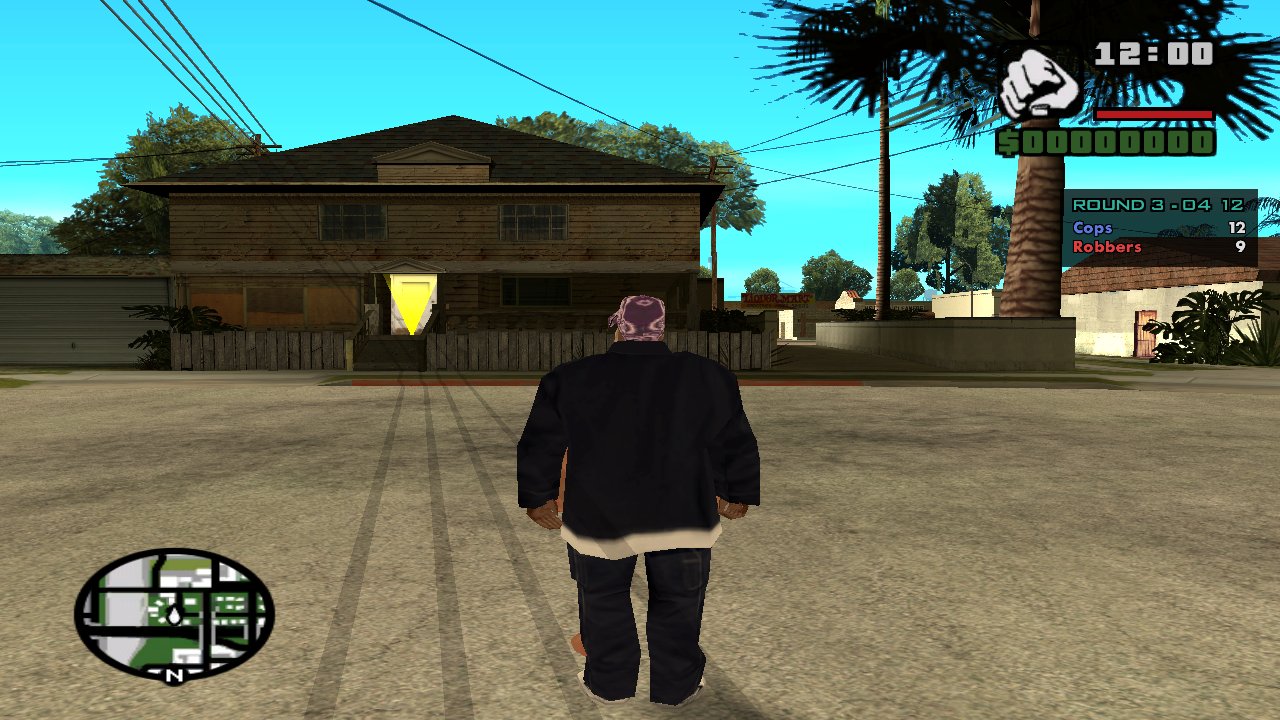
client/ui/hud.rml
<rml>
<head>
  <link type="text/rcss" href="/sagl/ui/theme/base.rcss"/>
  <style>
    body { position: absolute; right: 24dp; top: 210dp; width: 220dp; }
    .panel { display: block; width: 192dp; padding: 10dp 14dp; }
    .title { display: block; font-family: sa-menu; font-size: 16dp; color: #accbf1;
             font-effect: outline(2dp #000000); margin-bottom: 4dp; }
    .row { display: flex; flex-direction: row; justify-content: space-between; }
    .grove { color: #40c040; }
    .ballas { color: #c060e0; }
  </style>
</head>
<body>
  <div class="panel">
    <span class="title" id="clock">Round</span>
    <div class="row"><span class="grove">Grove</span><span id="grove">0</span></div>
    <div class="row"><span class="ballas">Ballas</span><span id="ballas">0</span></div>
  </div>
</body>
</rml>
client/scripts/hud.js
const hud = sagl.ui.openFile("ui/hud.rml", { input: false });

sagl.on("score", ({ grove, ballas }) => {
  hud.setText("grove", grove).setText("ballas", ballas);
});

sagl.on("clock", ({ left }) => {
  hud.setText("clock", `Round - ${Math.floor(left / 60)}:${String(left % 60).padStart(2, "0")}`);
});
index.ts (gamemode)
server.clientScripts.useClientFile("scripts/hud.js");
server.channel("score").broadcast({ grove: 3, ballas: 1 });
See Teams and scores and Rounds and timers for the server side.